

Among the most important things to keep in mind for the ACT is the calculator policy and other test-day rules. Calculators are strictly monitored, and only certain ones are allowed. If you arrive at the testing center without an approved device, you’ll be taking the test without any calculator at all. Find out which calculators are allowed and other important expectations on test day.


What to Bring and What Not to Bring on Test Day
Students are expected to adhere to a strict set of rules for ACT test day. Bringing the wrong items, or failing to bring required items, can cause delays or even prevent you from testing. Make sure you pack all the right items, and leave the wrong ones out of your bag, as you head inside the testing center. Starting the day well-organized will help you achieve a high score.
✅ Test Day Essentials to Bring
Be sure to bring the items and documents required for checking in and completing the test. Missing even one item can lead to problems and unnecessary stress. You should have everything prepared at least a day in advance, so you’re not pulling everything together at the last minute. Remember, you must also arrive by 8 AM at the latest, or you won’t be allowed inside!
- Printed admission ticket from your ACT account
- Valid photo ID (school ID or government-issued ID)
- At least two sharpened pencils (No. 2 only, not mechanical)
- Approved testing device, if applicable
- An approved calculator
- A watch (without alarms or smart features)
- Snacks and water for breaks
- Bilingual dictionary, if needed and approved
If you prefer to register for online or digital testing, you must complete the request during your initial registration. Digital tests must still be completed at testing centers, along with students completing paper tests. You may need to set up your own device in advance, or select a testing location that provides approved devices for you.

❌ What Not to Bring
To prevent cheating and distractions for you and other students, there are several critical items to never bring to the testing room. Make sure you’re fully aware of the rules before setting foot in the testing center. Infringing the rules can lead to canceling your test, confiscation of the item (even if it's your personal phone), or even worse consequences, depending on the severity of the issue.
- Smartphones, smartwatches, or fitness bands
- Tablets or laptops (aside from the approved device of testing, if applicable)
- Calculators with computer algebra system (CAS) features (unless specifically approved models with restrictions)
- Any type of recording device
- Calculators that make noise or have a keyboard
- Notes, textbooks, or formula sheets
- Scratch paper (the test center will provide any needed materials)
- Highlighters, pens, correction fluid
- Tobacco and vapes
If you must bring your smartphone, smartwatch, or fitness band, make sure it is completely powered down (not just on mute) before entering the test center. If you’re seen interacting with them in any capacity after you enter the building, they may be confiscated, and your test will be canceled. You cannot use them even during the short break between sections. Familiarize yourself with the schedule for test day so your friends and family know you're unreachable for a few hours.
Do not bring any tobacco or vape products into the testing center. They are prohibited from the premises. Your bag and other personal items may be searched; do not try to sneak these or other prohibited items in. Bringing them into the center can even result in a fine.
If the test is being held somewhere other than your own school, be sure to check the location/directions before the morning of the test so you don’t get lost. And plan some extra time to find your way around an unfamiliar building.
Lauren Danz, MEFA.org
If you bring a prohibited device, you may be asked to store it outside the testing room. It’s best to ask the check-in staff or your proctor what you should do with things like your phone, a stray book you accidentally brought, or other similar items, to show you are being cooperative and not trying to hide anything. Remember that certain items, like tobacco or an unauthorized computer, may lead to your dismissal from the premises.
Be sure to check your calculator against ACT rules well before test day. Don’t assume it will be accepted at the test center. The staff will confiscate unapproved devices before the test starts.

ACT Calculator Policy
The ACT calculator policy is intended to ensure all students have equal access to helpful tools without unfair advantages or cheating. You are allowed to bring one calculator for the math section only. You can bring extra batteries if desired. If you’re taking the digital version of the test, there will be an on-screen calculator (Desmos) for you to use, but you can still bring your own approved device if you want.
Sharing calculators during the test is not permitted. Using calculators for any other section besides math (including the science section) is prohibited. Test proctors will check calculators before or during the test. If your calculator does not meet the rules, you will not be allowed to use it. All questions can be answered without a calculator; the calculator is simply meant to save time.
Approved Calculators for Test Day
Permitted calculators perform the basic functions, do not have saved programs or documents, do not have any paper tape, do not make sounds, do not have exposed IR data ports, and do not have any attached power or data cables.
Your calculator must be:
- Battery-powered or solar-powered
- Quiet and free of alarms
- Without internet access or wireless communication
- Approved under all other ACT guidelines
Most standard graphing calculators are allowed, but there are important exceptions.
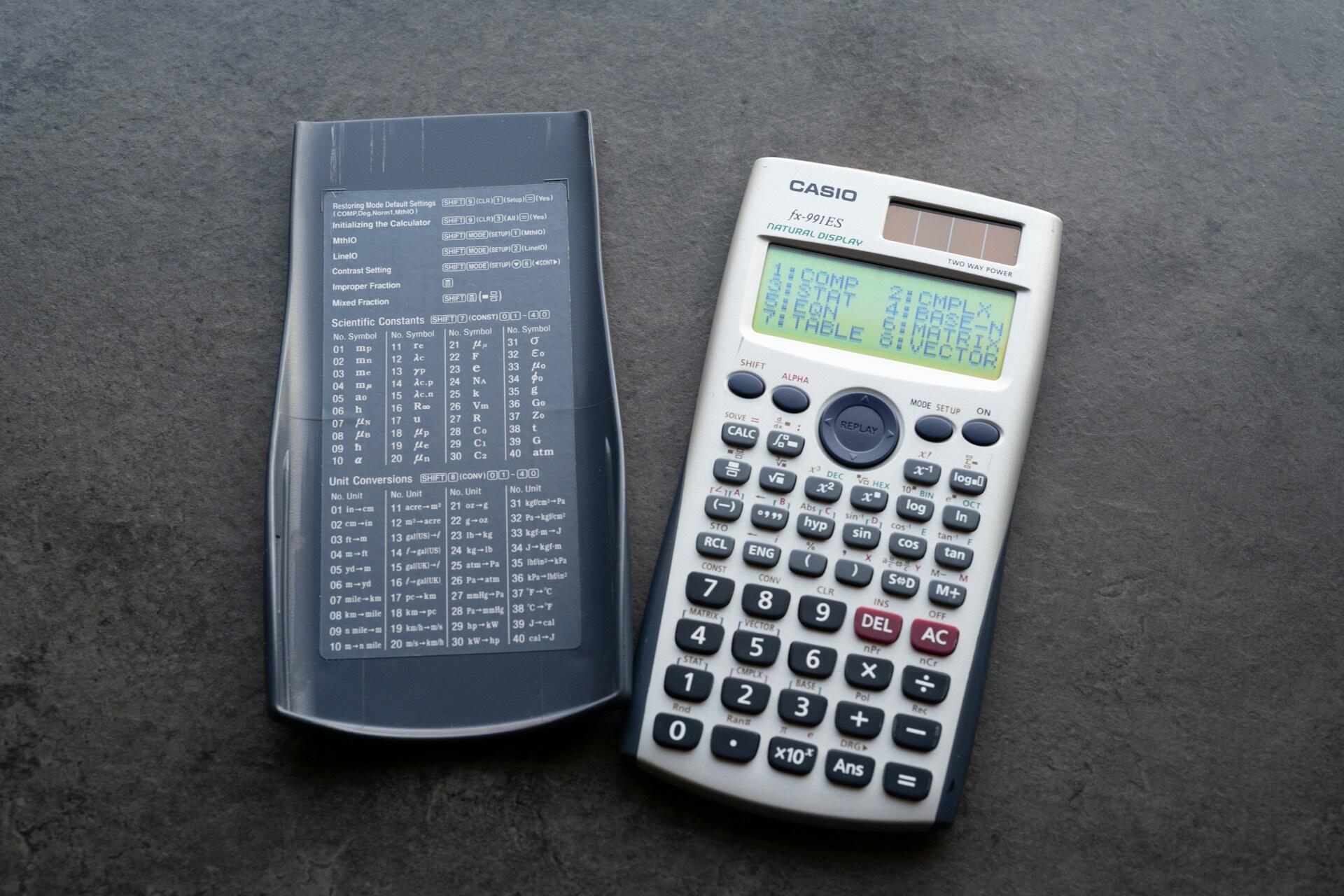
✅ Generally approved calculators include:
- TI-84 series (TI-84 Plus, TI-84 Plus CE)
- TI-83 series
- Casio graphing calculators (such as fx-9750GII or fx-9860GII)
- Scientific calculators with basic functions
❌ Features that are prohibited include:
- Built-in computer algebra systems (CAS) that can manipulate symbolic math
- QWERTY keyboards
- Built-in apps that access stored text or documents
- Wireless communication features
Some CAS calculators are restricted or prohibited. For example, certain advanced TI-Nspire models with CAS functionality may not be allowed unless CAS features are removed or disabled. If your calculator has advanced features, it is your responsibility to clear or disable them before the test.
Here’s a breakdown of the calculator models approved and disapproved for the ACT math test:
| Brand | Banned Models | Permitted |
|---|---|---|
| Texas Instruments | - All models in the TI-89 and TI-92 series - TI-Nspire CAS | All others, including TI-Nspire non-CAS |
| Hewlett-Packard | - HP Prime - HP 48GII - HP 40G, HP 49G, and HP 50G series | All others |
| Casio | - fx-CP400 (ClassPad 400) - ClassPad 300/ClassPad m330 - Algebra fx 2.0 - All CFX-997OG models | All others |
| All others | - calculators with downloaded documents and programs - calculators with paper tape - calculators that make noise - calculators with an IR data port - calculators with power cords | - 4-function - scientific - graphing - calculators with downloaded documents and programs removed - calculators with IR data ports that have been covered with duct tape |
No. You cannot use a smartphone at any time during the ACT, including during breaks. You must have an approved calculator or use the one provided in the digital version of the test.
Using Your Calculator Effectively on the ACT
Having an approved calculator for the math ACT is only part of the process. You must also know how to use it to your advantage, rather than let it slow you down. Before test day, practice these basic calculator skills.
Basic Calculator Knowledge
Since you might be used to using a different calculator in your math classes at school, you should be sure to use your ACT-approved model a few times before test day. If you're going to use the Desmos calculator, you can practice with it online at the official website.
Practice vital actions like the basic four functions (addition, subtraction, multiplication, division), square roots and percentages, and plotting graphs and functions. Learn how to use memory and recall features, if any are available. You will not be asked to complete super high-level math (like the type found in engineering) on the test.

Avoid Calculator Overuse
Know when to use your calculator and when to rely on yourself. Turning to the calculator for every little thing can eat quickly away at your time. Use your device for more complicated calculations, not for simple, small numbers you know you can do on your own either in your head or by hand. Memorizing the fundamental equations for the ACT will help immensely.
Good instances for using the calculator include graphing lines, multiplying or dividing big numbers, plugging potential answers into an equation, and checking your answer. Take practice tests with your calculator to learn which types of questions you can do on your own and which ones you prefer to solve with help from your calculator.
Arriving at the ACT testing center on test day with all your required and approved materials (and without the prohibited ones) is a great way to build confidence for the test. When you get through check-in stress-free, you can focus entirely on the test, not whether you’re in trouble for bringing something you shouldn’t have. If possible, leave your phone and other non-permitted items in your car. If that’s not possible, keep everything not allowed in the testing room in a separate bag and ask the proctor or check-in staff where you can keep it until you leave.
References
- “ACT Calculator Policy: What’s Allowed and Prohibited.” ACT, www.act.org/content/act/en/products-and-services/the-act/test-day/calculator-policy.html. Accessed 17 July 2026.
- “ACT Online Testing | a New Option for Taking the ACT Test.” ACT, www.act.org/content/act/en/products-and-services/the-act/test-day/online-testing.html. Accessed 17 July 2026.
- “ACT Test Day Checklist: What to Bring and What to Expect.” ACT, www.act.org/content/act/en/products-and-services/the-act/test-day.html. Accessed 16 July 2026.
- Danz, Lauren. “Tips for SAT and ACT Test Day.” mefa.org, 10 Oct. 2024, www.mefa.org/article/tips-for-sat-and-act-test-day.
- “Examinee Terms and Conditions: Testing Rules and Policies for the ACT Test 2026-2027.” ACT.org, 2026, www.act.org/content/dam/act/secured/documents/Terms-and-Conditions.pdf. Accessed 17 July 2026.
Summarize with AI:
Did you like this article? Leave a rating!

 Loading...